

Wi-Fi Access
Welcome to City of Bristol College
Please follow the relevant instructions below for access to our Wi-fi network at any of our centres across Bristol.
Wifi for Staff or Student
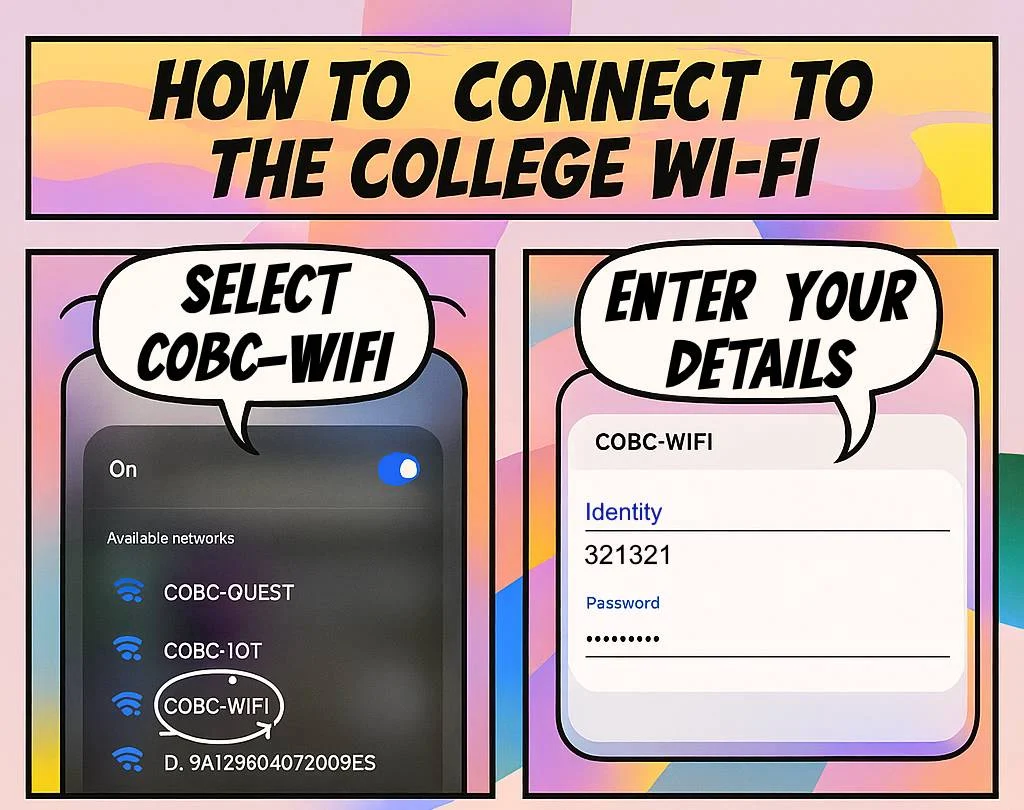
1. Connecting to COBC-Wifi
To connect to the College Wi-Fi, look for COBC-WIFI. You will be asked to sign in with your College network credentials.
If you are a student, this will be your student ID number and network password. If you are a member of staff, this will be your username, i.e. the name you use to log into a College computer.
NOTE: All College-owned devices should automatically connect themselves to the Wi-Fi. Please contact the IT Helpdesk if you are using a device which has not!
2. Certificates
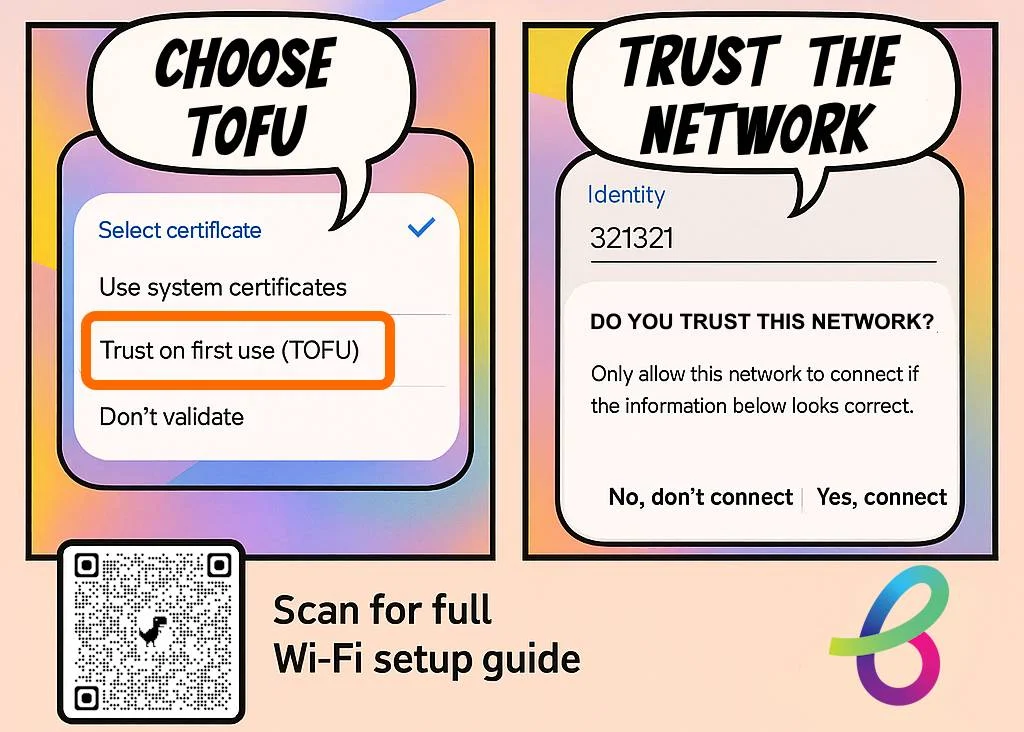
You may see an option called Certificate or CA Certificate. If you do, select Trust on First Use (TOFU).
If you don’t have this option, then select Don’t Validate.
Non-Android Devices will not usually present this option and will instead ask you to trust on the next stage!
Connect a Personal Device
The College provides a free wireless network as part of the COBC-WIFI Connection for all Staff and Students to use with your own personal devices, which will allow you to connect to the Internet, and other online services that the College provides. If you have a Guest visitor, they must sign up with COBC-GUEST!
You will need to use your College username and password to authenticate, in order to gain access to the Internet. Your phone should remember your login details for the connection and will connect when you are on site automatically. Please note when your password changes you will need to forget and re-add the Wifi connection!
Please follow the step-by-step guide via the link below to connect your device to the COBC-WIFI network
Wifi for Visitors or Guests
This page provides information for guests on how to access the college Wi-Fi at all centres. It serves as a central point of reference for connecting to the network wherever you are based.
1. Connecting to COBC-Guest
Do you have a visitor or guest who requires access to the College Wi-Fi?
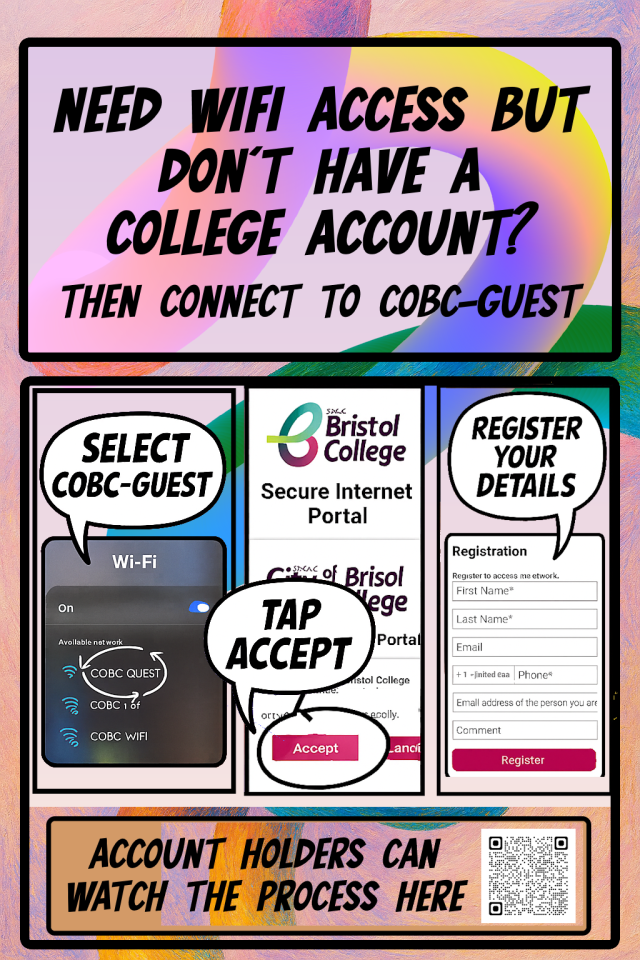
Then tell them to look for the COBC-GUEST Wi-Fi. Once they have selected this, they will need to ACCEPT the agreement, then register their details:
- First name
- Last name
- [OPTIONALLY] Email address
- Mobile phone number
- [OPTIONALLY] Email address of the person they are visiting
- [OPTIONALLY] Leave a comment
- Then REGISTER.
See the video below for a video guidance on connecting to COBC-Guest on a mobile phone.

2. Forms Not Loading
Unfortunately, if the registration form does not appear, you will not be able to connect to the College Wi-Fi today.
Some devices—particularly those issued or managed by external organisations—do not support open guest networks and may block the registration page from loading, even if the device shows as connected. In these cases, access cannot be completed. Please accept our apologies for the inconvenience.
Please visit this page to learn more: Form Not Loading – City of Bristol College
Connect using eduroam
City of Bristol College participates in eduroam, providing secure Wi-Fi access for eligible staff and students and enabling members of participating education and research organisations to connect when visiting other eduroam-enabled locations.
With eduroam, you can use your organisation’s credentials to connect to the internet at participating colleges, universities and research organisations around the UK and around the world.